Video guide
Supported regions by publisher
Refer to the table of service providers:
| Publisher | Region | Language | Release Date |
|---|---|---|---|
| BOKURA | China | Chinese (Simplified) | 17 July 2025 |
| A PLUS | Americas, Europe | English (Japanese VA) | 9 October 2025 |
| HAOPLAY | Taiwan, Hong Kong, Macau, Singapore, Malaysia | Chinese (Traditional) | 23 October 2025 |
| XD | Japan | Japanese | TBD |
| XD | Korea | Korean | TBD |
At the time of writing, the official website displays “⚠️ APOLOGIES.YOUR REGION IS NOT SUPPORTED.” if you are accessing it from an unsupported region.

Additionally, the Steam page will say “This item is currently unavailable in your region” even if you aren’t signed in.
SteamDB lists the countries that are blocked. Conversely, any country not on the block list is supported.
Should I play Global if my region is unsupported?
If you want official English language support, a primarily English-speaking community, and an early release, then yes, you should! And you can always drop it if you prefer a different region when it releases.
Bypass region block with a VPN
By using a VPN to tunnel through a supported region, you will be able to access the official website and connect to the game. If the website has blocked you previously, clear your cookies for the website or you won’t be able to access it even with a VPN.
Below is a non-exhaustive list of VPNs confirmed to be working on the Global server during the Closed Beta Test. More technical users may be inclined to self-host using a VPN protocol of their choice on a VPS in a supported region.
| VPN Provider | Platforms | Free Plan | Split Tunneling | Notes |
|---|---|---|---|---|
| Proton VPN | ✅ | ✅ | Very user-friendly but somewhat slow to play on. On the free plan, a random country will be selected (Any supported region will work). Split tunneling available on paid plans. Set up WireGuard with ProtonVPN to select a country and enable split tunneling on the free plan. | |
| SoftEther Client | ✅ | ✅ | Medium complexity. Open source. Check which node you are connecting to as any individual can host a VPN on here. | |
| Mudfish | ❌ | ✅ | Medium complexity but confusing UI. Affordable option when used only for gaming. | |
| OpenVPN Connect | ✅ | ✅ | Medium-to-high complexity. Free node profiles. | |
| ExitLag | ❌ | N/A | Not technically a VPN (no encryption/IP masking), but a tunneling service. | |
| xBack | ❌ | ❌ | 3 day free trial. | |
| WireGuard | ⚠️ | ✅ | High complexity. CLI for self-hosting a VPN. Requires technical setup and likely VPS rental. Can be deployed at the router-level using OpenWrt. |
Please refer to provider websites to see a full list of supported platforms. For an extensive comparison of VPN services, check this reddit post.
The game servers are located in Virginia, USA (East coast). No servers will be hosted in Europe. Services like 1.1.1.1 (Cloudflare) WARP may boost your ping as well.
ProtonVPN Instructions
On the free plan, the ProtonVPN client will assign you to a random country. If you are fine with this, you can simply install ProtonVPN and turn it on. The following guide will allow you to select a specific country by connecting to a ProtonVPN node with WireSock Secure Connect (a WireGuard VPN client). The instructions are for Windows PCs but can be replicated through similar steps for other devices (join the discord if you need help!).
Create a Proton account at the Proton Homepage and log in to the ProtonVPN website.
Navigate to the Downloads page and in the Wireguard Configuration section, select your platform.
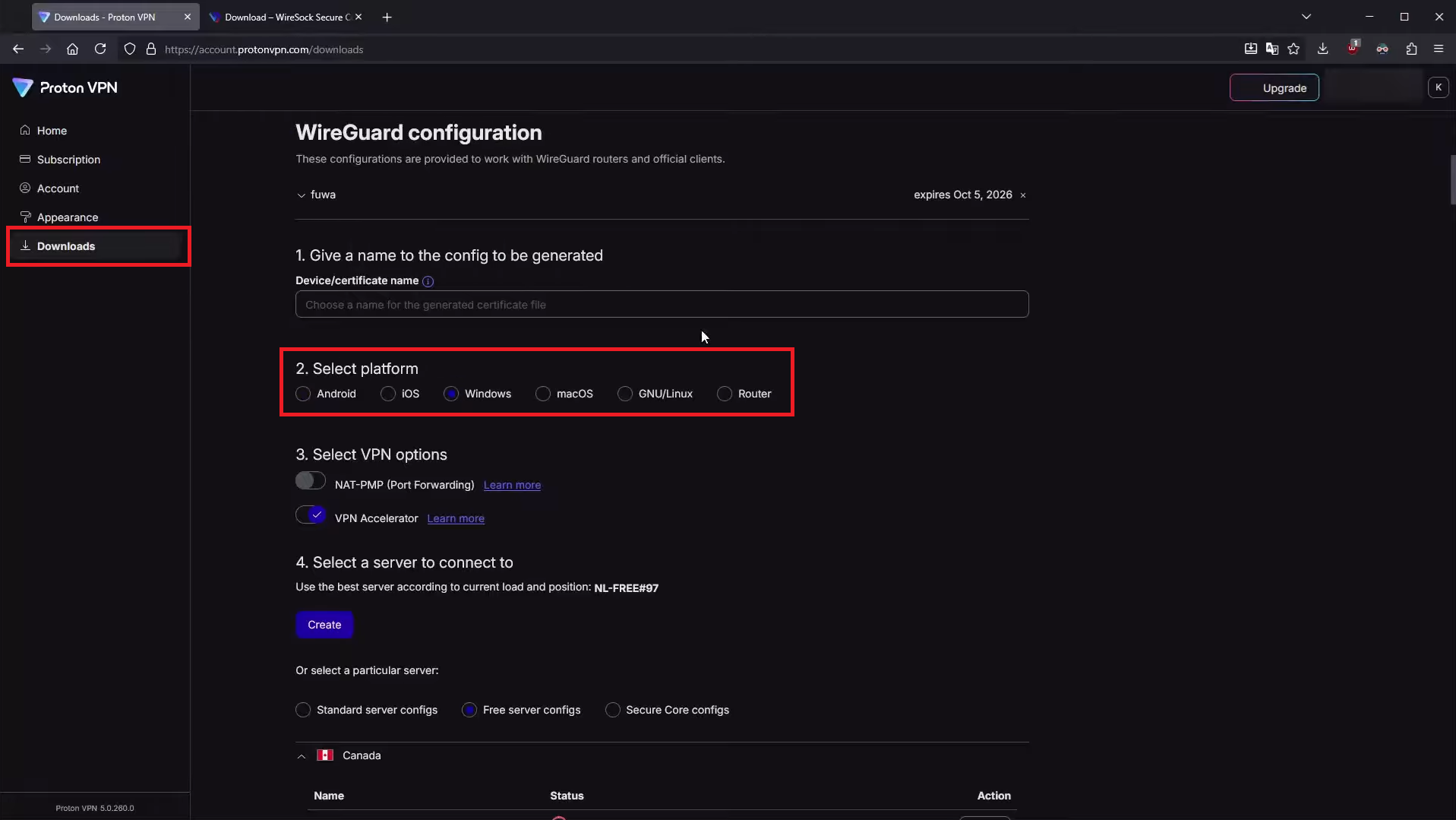
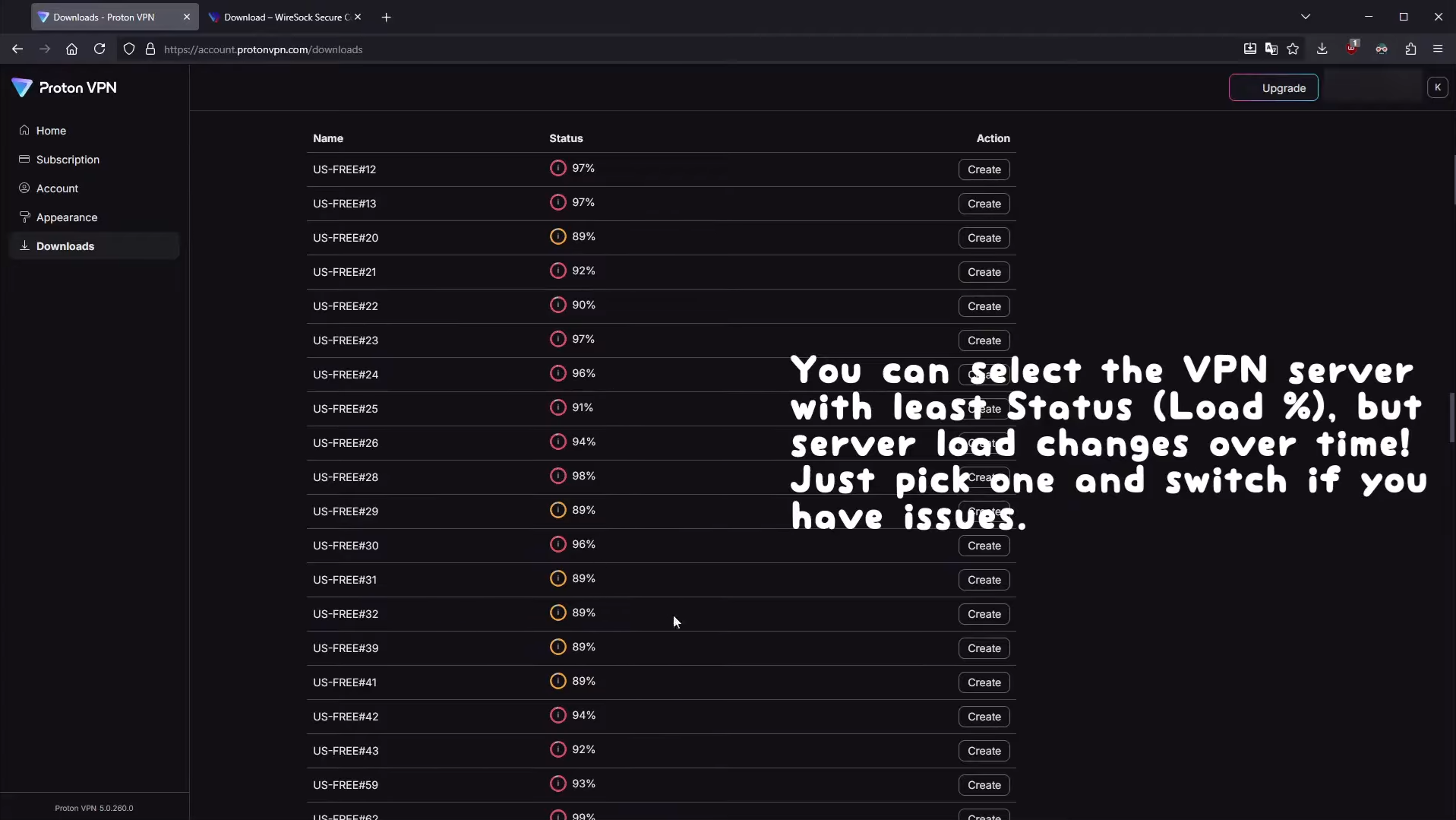
Scroll down to select a server in the United States and click Create.
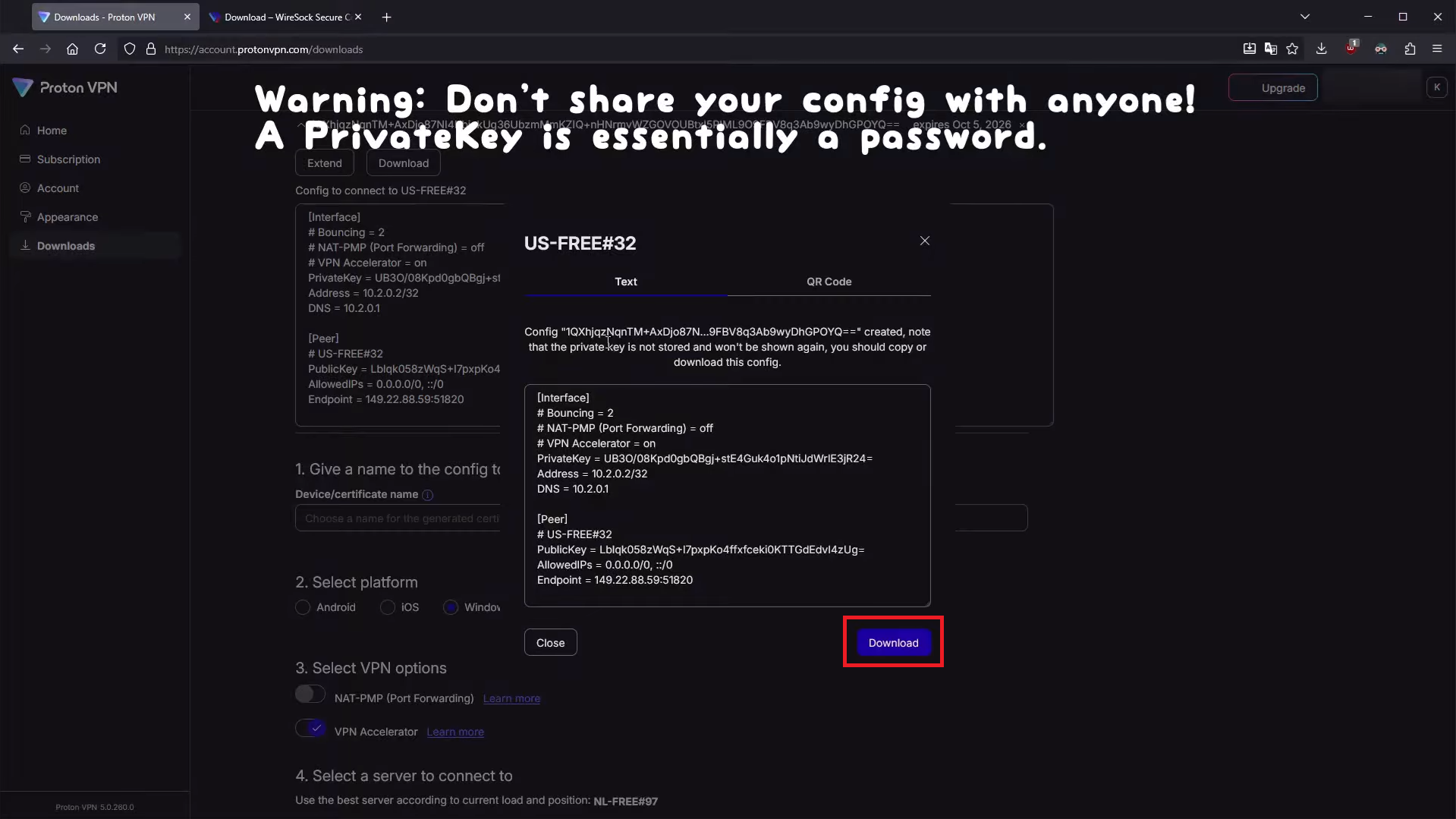
Download the automatically generated config file. Do not share this file with others.
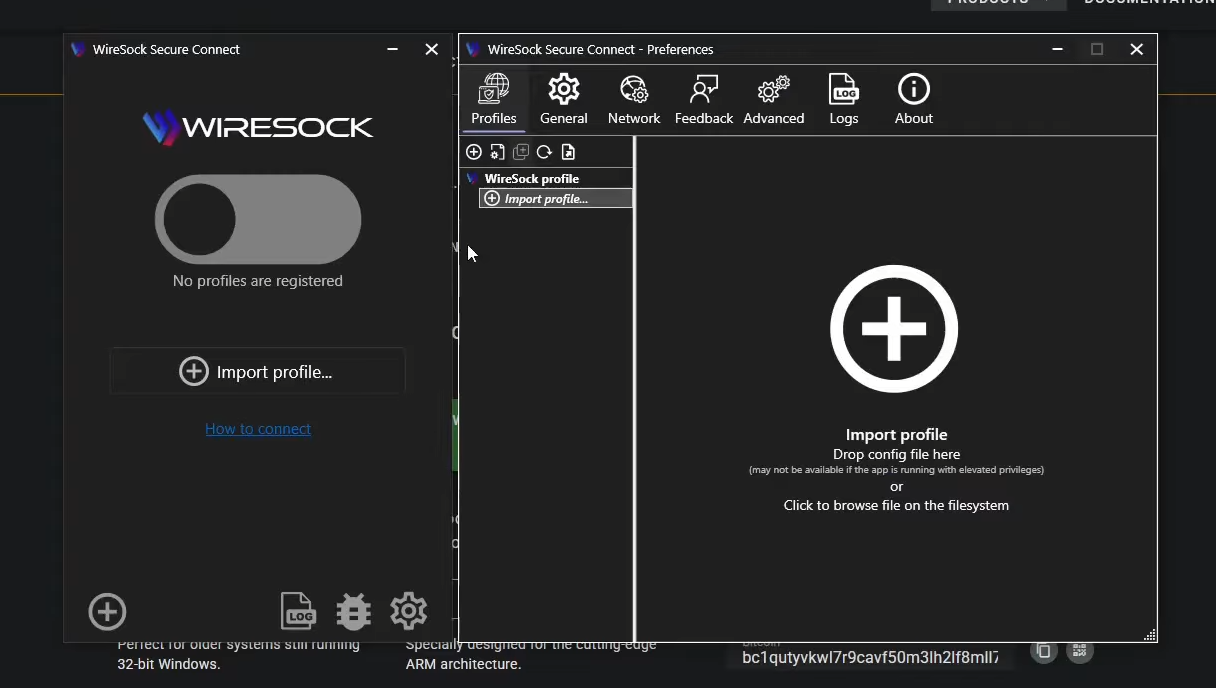
Download and install WireSock Secure Connect. Run it, click import profile, and select the config file you generated in the previous steps.
Switch the VPN on.
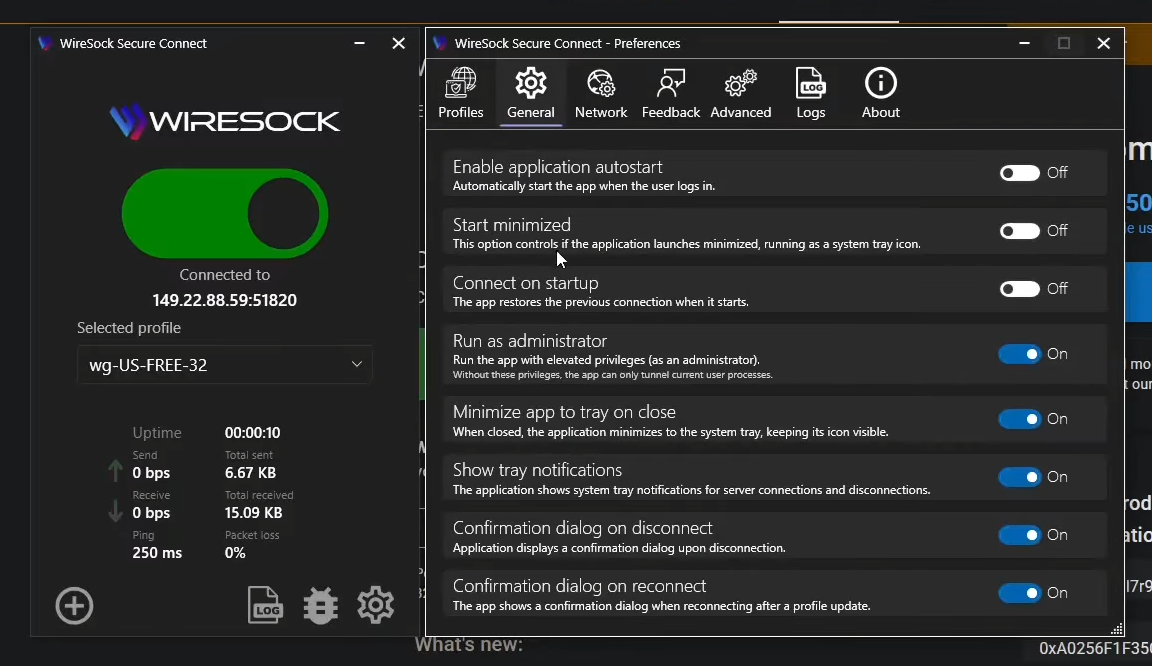
Check to see if your IP address location is correct with a service such as mylocation.org. If it looks alright, you’re good to go!
You've reached the end!